Organizing photos
has never been this easy
AI semantic search finds photos from a sentence, auto-sorts receipts, tickets and screenshots, builds smart themes and memories, safely clears duplicates and compresses videos.
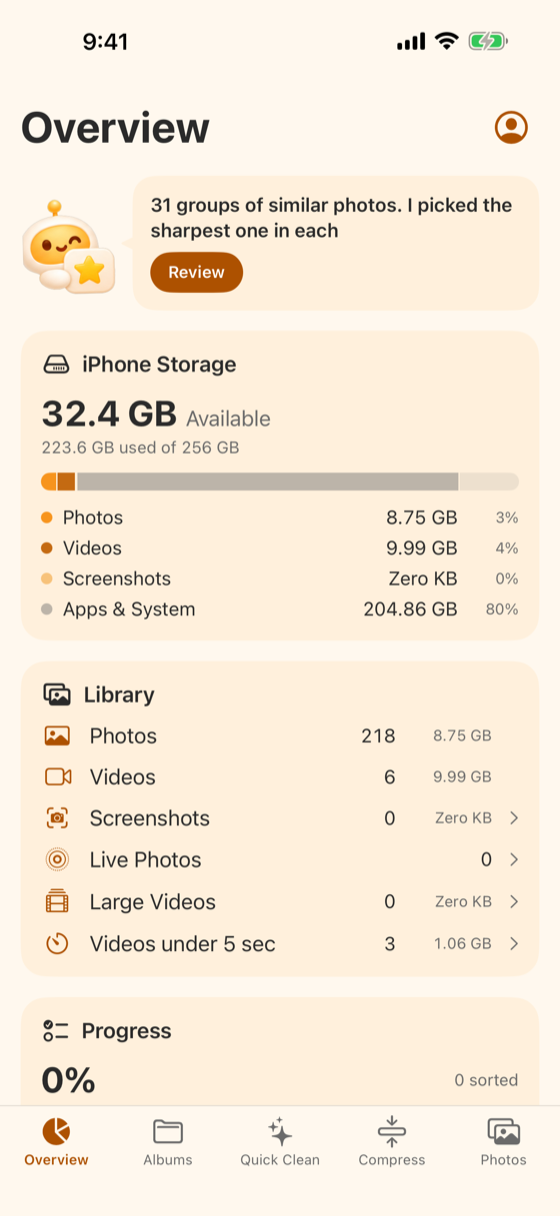
Tidy up tens of thousands of photos
Find them, pick the keepers, delete with confidence. AI runs through every step — all on your phone, photos never uploaded.
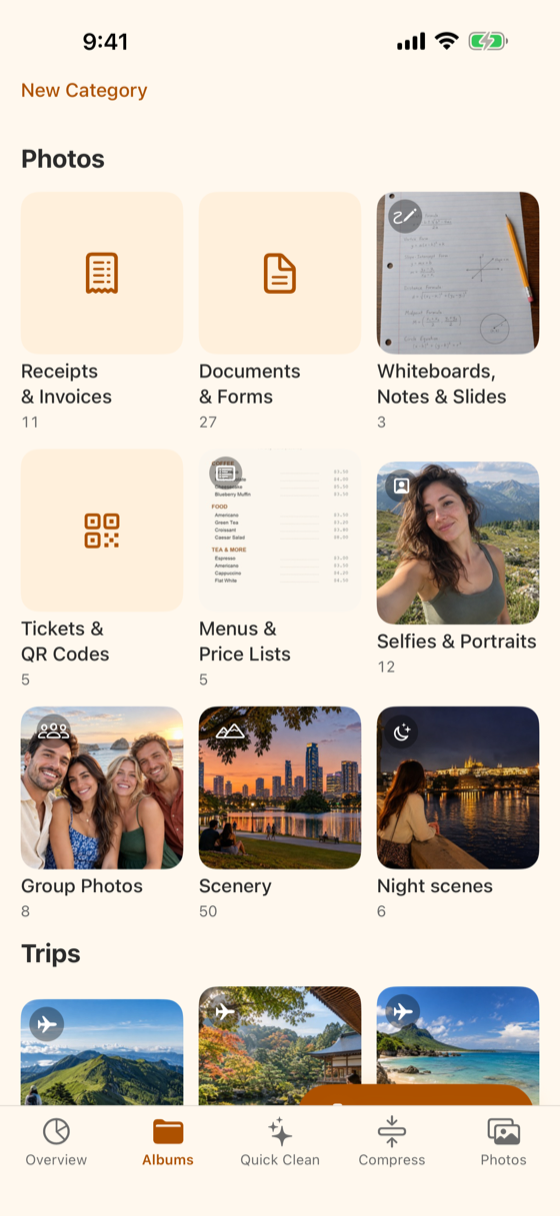
Photos file themselves
Receipts and invoices, tickets and QR codes, IDs and business cards, menus, documents, chat / shopping / map screenshots, plus pets, food, scenery, night shots, cars, selfies, group photos and trips grouped by where they were taken — AI recognizes and sorts them all.
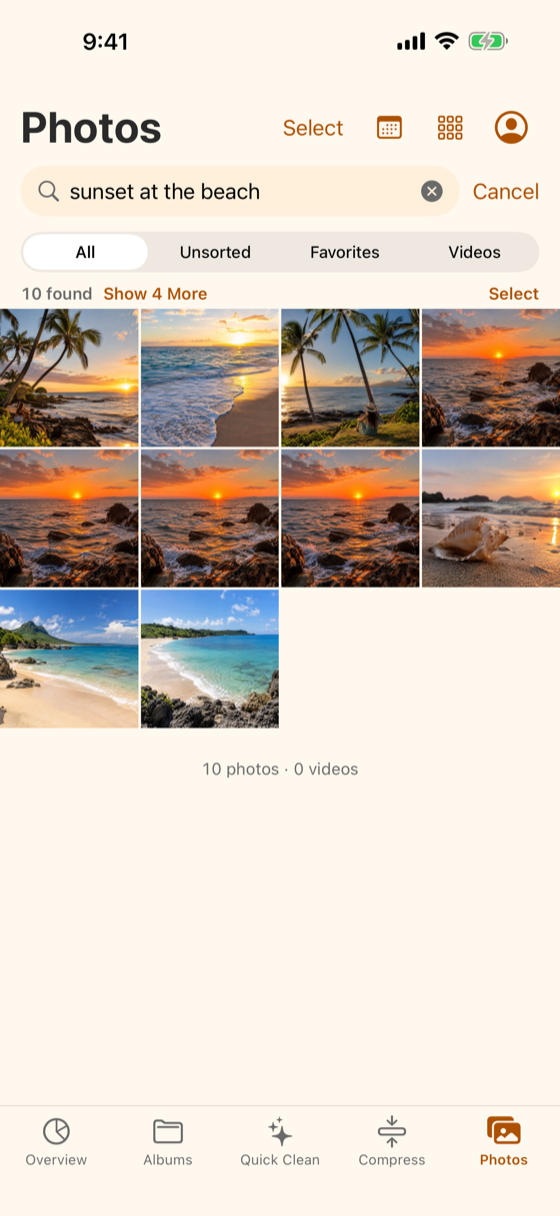
It gets what you mean — one sentence finds it
Not just keyword matching — the on-device semantic model actually understands what's in your photos, so you can search with a whole sentence: "sunset at the beach," "last year's birthday cake," "a cat on the grass." It also searches text inside photos. Works in English, Chinese, Japanese and Korean.
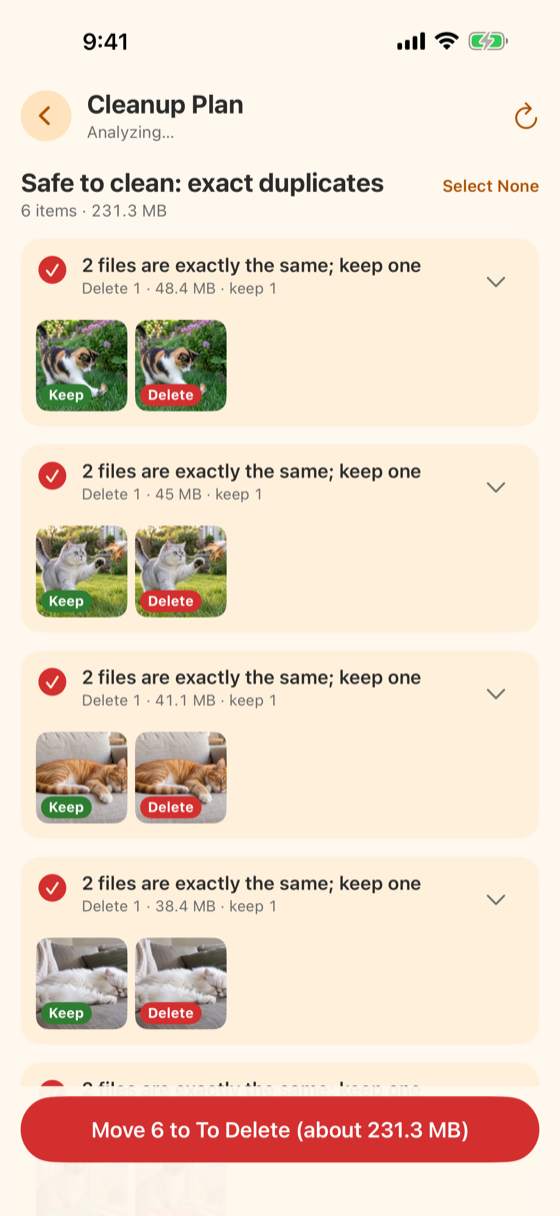
Free up space in one tap
Finds exact duplicates and similar photos automatically, keeping the sharpest, eyes-open shot in each group. Nothing is deleted until you confirm, and deleted photos stay in Recently Deleted for 30 days. Large videos, short clips and old screenshots are tidied too.
Into albums, one by one, nothing missed
File un-sorted photos into albums one at a time, with AI suggesting where each belongs. Go by month, album, AI category or media type, pause any time and resume where you left off — every decision is reversible.
Every part of the app is built to organize
My Themes (smart collections)
With a sentence or a seed photo, build a theme album that keeps collecting new matching photos — like "my cat" or "camping."
Discovered for You
AI groups and names your un-sorted photos into themes and recommends them ready-made — one tap to keep.
Memories
This week in past years, trips from a few years ago, auto-picked moments — brought back to you without searching.
Compress videos & photos
Sorted by size, tells you how much you'll save. Shrinks with almost no quality loss, keeping the original date, location and album.
Screenshot organizer
Reads the text in screenshots into cards — store name, address, hours and ticket dates pulled out, with one-tap add to Calendar.
One-by-one sorting
Pick one for each photo: keep, delete or later. By month, album or category, pause any time, fully reversible.
Entirely on your iPhone
No uploads
Analysis, sorting and search all stay on this iPhone.
No sign-up
No account, no cloud — just open and go.
No ad tracking
No personal data collected, no third-party tracking.
Free to start
Every feature works for free; Plus removes the limits.
Photo organizing guides
How to free up iPhone space, delete duplicates, sort screenshots and find photos with a sentence — and the limits of each.
iPhone Storage Full? 8 Ways to Free Up Space
iPhone "Storage Almost Full"? Photos and videos are usually the culprit. 8 real fixes: clear duplicates, big videos, compress clips, tidy screenshots.
How to Delete Duplicate Photos on iPhone, Safely
iPhone has no real duplicate cleaner. Learn exact duplicates vs. similar photos, and how to safely delete duplicates without losing favorites.
How to Tidy Similar Photos and Bursts — Keep Only the Best
Shot a scene several times or a long burst and only want the clearest one? Learn to quickly pick the best from similar photos and bursts, safely.
Too Many Photos? Even Tens of Thousands Can Be Organized
Tens of thousands of photos, can't find a thing? A pausable, reversible flow: clear duplicates and similars, auto-sort, then find any photo in a sentence.
Too Many iPhone Screenshots? Stop the Pile-Up and Find Them Again
Screenshots pile up fastest and are hardest to find. Split them out and sort into findable cards — store names, addresses, ticket dates auto-extracted.
How to Find Photos with a Sentence — iPhone Semantic Search
Remember a photo but can't find it? Skip keywords — describe it in a sentence like "sunset at the beach." Learn how semantic search works.
FAQ
Does it upload my photos?
No. All analysis happens on your iPhone. Nothing is uploaded and no account is needed.
How does the AI search work?
An on-device semantic model understands what's in your photos, so you can find them with a sentence instead of just keywords, and even search text inside photos. All on your phone.
Could it delete photos by mistake?
You always confirm first, and deleted photos stay in Recently Deleted for 30 days. Favorites, edited, in-album and protected photos are never suggested.
What can I use for free?
Every feature works on the free plan with a daily allowance: 3 AI searches, 50 photos of one-tap cleanup and 5 compressions; Plus removes the limits.
Which devices are supported?
Requires iOS 26.1 or later. Search and sorting download an on-device model of about 360 MB once.

Start organizing your photos
Find them, pick the keepers, delete with confidence. All on your iPhone, nothing uploaded.
Download on the App Store